Choose the job the kiosk needs to do
A promotional screen and a self-service terminal may look similar from across a room, but they create different purchasing requirements. If your job is to show offers in a store entrance, a non-touch playlist may be enough. If visitors need to choose a destination or browse information, you need an interactive application as well as suitable touch hardware. Define that distinction early. It affects the operating system, software discussion, installation position and acceptance test.
Alihh lists retail, exhibitions, education, healthcare, transportation and hospitality among the applications for this kiosk. These are possible deployment settings, not a promise that a particular application is included. For example, a directory in a hotel lobby would need your own directory content and a clear update process. Tell us what a visitor should be able to accomplish at the screen so the quotation can address the actual use case.
Plan the position before selecting the panel
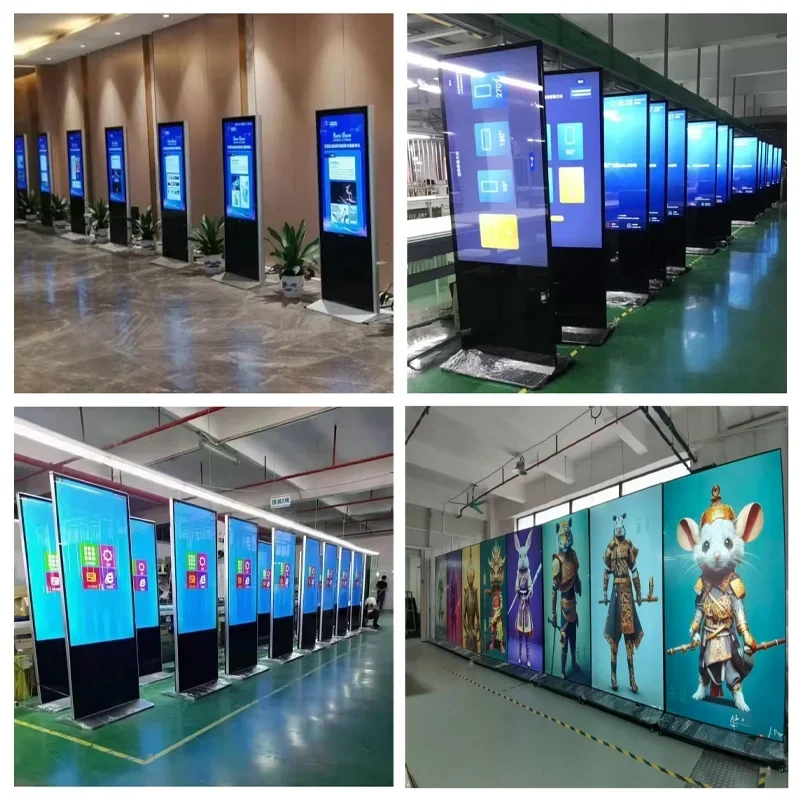
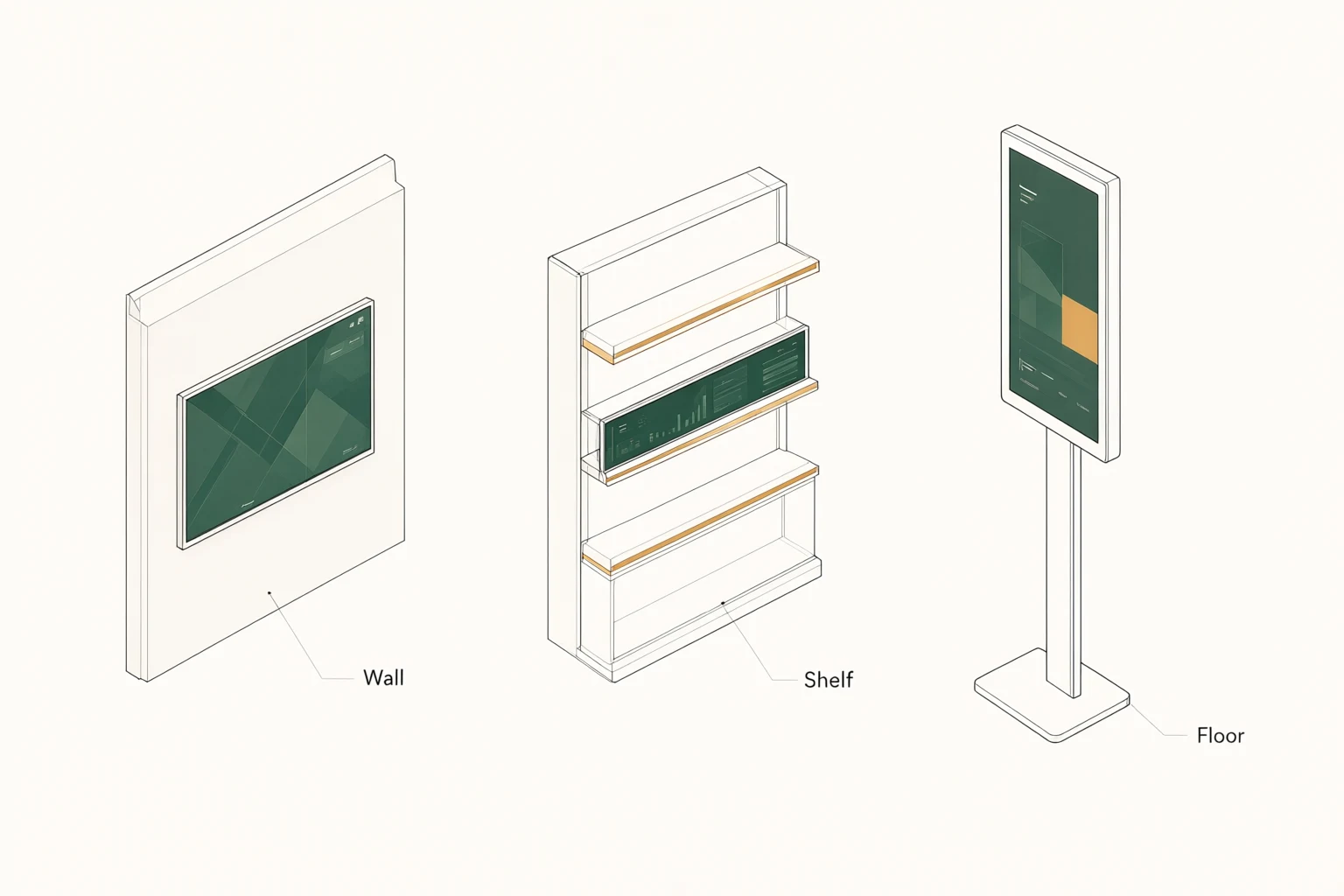
A floor standing display becomes part of the room. Before choosing a screen size, record the proposed location, approach direction and nearby circulation route. Photograph the area during normal operating hours. Include nearby windows and lighting in the brief, along with the position of power and network access. These details help make the hardware discussion more specific than a request for a large screen.
Ask your installation team to check the usable footprint and how the unit will be secured. Leave access for authorized maintenance and make sure the display does not interfere with the site's accessibility or emergency arrangements. The final method needs to suit the building and the supplied enclosure. A photograph is useful for discussion, but it does not replace a site assessment or an approved installation drawing.
Understand the enclosure and front construction
The official product description specifies a front with 4 mm tempered glass and a seamless aluminum frame. It describes the body as galvanized steel with a metallic coating. Those details help identify the construction being offered, but they should not be treated as an impact rating, waterproof rating or approval for outdoor exposure. If your project has a formal protection requirement, request the matching documentation for the quoted unit.
For an indoor public-facing installation, discuss how the rear access area will be managed and how staff will reach the connections. Confirm the enclosure finish against a sample or approved visual before ordering several units. If a branded color or a change in appearance is part of the brief, describe it as a customization request. The final scope belongs in the approved specification, rather than being assumed from a catalog photograph.
Match Android or Windows to the application
Android and Windows are configuration choices for the kiosk. They are not a promise that one unit ships with both systems installed. Start with the application you intend to run. Provide its name, supported operating systems, version requirements and any peripheral dependencies. If you are already using a content platform across other locations, include that information before the hardware selection is finalized.
Ask for the proposed motherboard, processor, memory, storage and operating system version in the quotation. The public description does not establish one fixed configuration for every project. A practical pilot should use the same software and media files that you expect to deploy. Check startup behavior, user access, screen orientation and recovery after an interruption. These are suggested buyer checks; agree any required test procedure with your supplier and integration team.
Specify optional touch deliberately
Touch is optional in the main product description. Choose it when the planned experience gives visitors a reason to interact, such as navigating a directory or making a selection in your application. A display that only rotates advertisements may not need touch. Tell us which interaction you are designing and which software will interpret the input. Hardware alone does not create the application or its content.
The page also describes a ten-point capacitive touch option. Have that option confirmed for your selected configuration instead of assuming it is fitted to every kiosk. During a sample review, test the actual interface with representative users and content. Check whether buttons are easy to find, whether the interface is usable at the planned mounting position and whether an idle session returns to the expected screen. Avoid building an acceptance decision around a promotional claim such as zero lag.
Decide who publishes and maintains the content
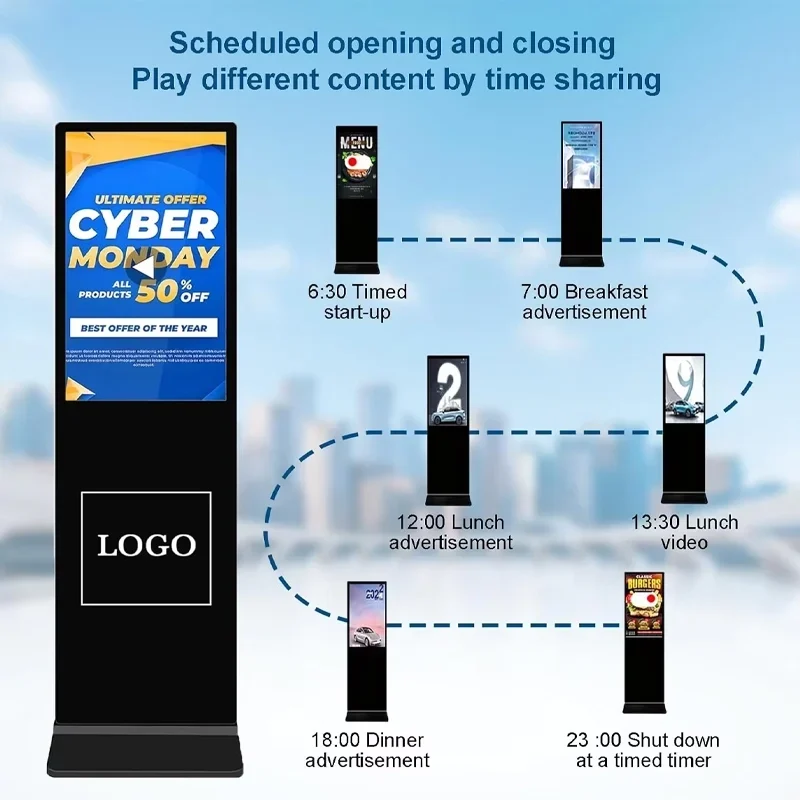
Alihh describes support for standalone, local and cloud management, with a content management system available for pre-installation. Choose the management approach around the way your team works. A single-location project may have a different update routine from a group of stores with central marketing staff. Identify who prepares the files, who approves the message and who has permission to publish it.
Before committing to a platform, ask which CMS is included, how it is licensed and what network access it requires. Confirm whether the quoted scope covers the functions you need, rather than treating the word cloud as a complete feature list. If the site loses connectivity, agree the required behavior and test it on the selected configuration. Ask separately about third-party subscriptions or integrations; the product's CMS statement does not establish the cost of every connected service.
Prepare media for a portrait display
A vertical screen deserves content designed for its orientation. Send a few representative assets with your inquiry: a promotion, a directory layout or an information screen. Include the smallest text you expect visitors to read and the viewing position you are planning. Reviewing real material is more useful than comparing a display using a bright demonstration video alone.
Confirm the panel's native resolution, supported playback formats and the way your software handles scaling before producing a large content library. Keep essential information within a consistent layout and inspect it on the sample unit. If the message changes frequently, decide who will maintain the source files and approval history. This is an operational planning recommendation, not a claim that the kiosk automatically performs those editorial tasks.
Use a sample to settle the acceptance criteria
Write the checks down before a sample arrives. Your list might include the agreed enclosure finish, correct operating system, successful application installation, touch behavior if ordered, media playback and the required network connection. Record which accessories are expected and which parts of installation remain the responsibility of your local team. That makes the sample review a decision about a defined configuration.
For a multi-site project, keep the approved hardware and software record with the purchase documents. If a later order uses a changed component or software version, ask how that difference affects the deployment. Do not assume that matching screen diagonals make two configurations interchangeable. You can use the product range to frame the initial discussion, then request a written configuration against your specific site requirements.
Agree delivery and service responsibilities
A floor standing enclosure needs a delivery plan as well as a shipping destination. Tell us about access restrictions, receiving arrangements and whether the installation team needs packaging dimensions or handling information before delivery. Ask for the packing method, included accessories and shipping terms in the quotation. The information on this page does not establish a fixed lead time, stock status or delivered price.
Alihh's stated support policy is a two-year warranty with lifetime technical maintenance. Lifetime maintenance does not mean lifetime free repairs or free replacement of every part. Ask how the warranty applies to the configuration you select, what evidence is needed for a service request and how any return shipment is handled. Keep the order reference and configuration record available to help the support conversation stay precise.
Send a brief that produces a usable quotation
Your first inquiry can be short. Share the application, installation country, intended quantity and whether touch is required. Add the preferred operating system if you already know it. If the project is still at the design stage, say so and describe the space rather than choosing specifications you cannot yet validate. Photos or a site drawing can follow during the technical discussion.
For a more detailed quotation, include your preferred screen size, software requirements, branding requests, target installation date and delivery destination. Ask for a clear separation between the hardware configuration, optional work and shipping terms. Use Request a Quote to start the discussion. The aim is a kiosk specification your procurement, software and installation teams can all review against the same brief.
Frequently asked questions
Is touch included as standard?
The main product description lists touch as optional. If your project needs interaction, request the touch configuration explicitly and have its specification included in the quotation. Your application and user interface also need to support the intended interaction.
Can I use my existing signage software?
Share the software name and its operating system requirements so compatibility can be assessed against the proposed Android or Windows configuration. Use a sample with your actual application before approving a larger deployment; compatibility is not automatic for every third-party program.
Can this kiosk be installed outdoors?
This page is intended for indoor project planning. The listed construction does not by itself establish weather protection or an outdoor rating. If you need an exposed installation, describe the environment and request a separately documented, suitable product configuration.
What should I confirm about the display resolution?
Ask for the native panel resolution and supported playback configuration in the written quotation. Product family marketing and the selected hardware configuration are different things. Review your real portrait content on a sample before final acceptance.
What information is needed for a price?
Send the quantity, installation country, application, preferred screen size, operating system and touch requirement. Branding, software integration and delivery terms can affect the proposed scope, so include those requirements if they are already known.